


VPN Hotspot Shield: Proxy VPN
4.585.05K Reviews
App Specs
- Version
- 11.19.0
- Updated On
- License
- Free
- Downloads
- 100,000,000+
- Developer
- Anchorfree LLC
- Categories
- Tools
- Platform
- Android, iOS
Screenshots
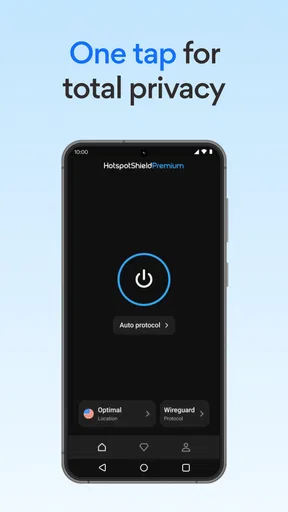
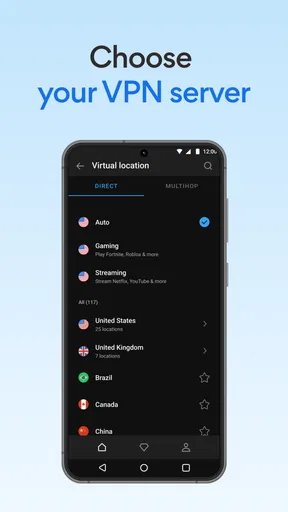
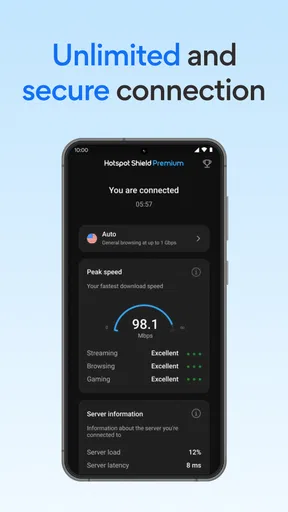
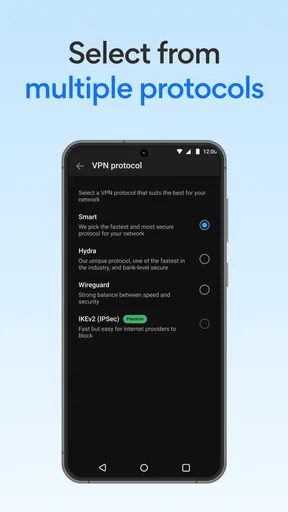
 Analysis by AppCompare
I reach for a VPN when the internet connection I’m using feels like a question mark: a café’s public Wi-Fi, a hotel network, or a service that behaves differently when I’m away from home. The useful test is not whether an app sounds powerful, but whether it makes those moments less fiddly without getting in the way of ordinary browsing. Hotspot Shield: Fast VPN Proxy is a free tools app from Anchorfree LLC, and its main appeal is a simple route to a protected connection rather than a pile of settings to manage.
A quick setup that gets out of the way
Hotspot Shield has been around since 2012, and it is now at version 11.12.0 for devices running Android 8.0 or later. Its Everyone age rating and straightforward VPN purpose make it approachable if you have never used this kind of app before. I would start by installing it at home, opening it once, and getting familiar with the connection screen before relying on it on a public network. That small bit of preparation saves the awkward moment of trying to work out a new app while waiting for a train or checking into a hotel.
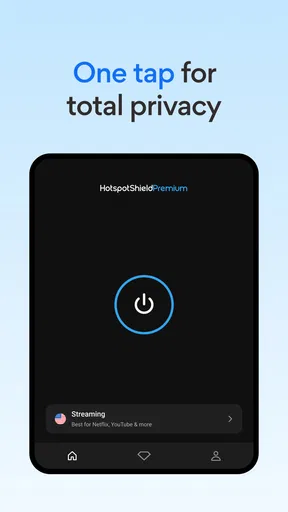
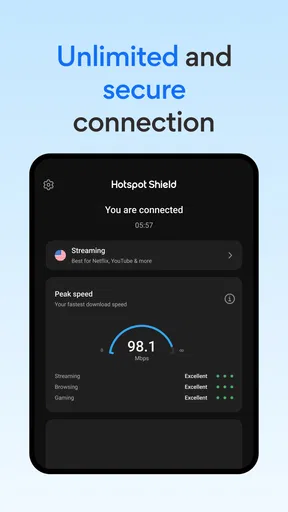
The important habit is to connect before opening anything you want to use privately. A VPN protects traffic only while its connection is active, so I treat the connection indicator as a quick check rather than assuming the app is doing its job in the background. If a page suddenly stops loading, I first check whether the VPN is still connected; reconnecting can be quicker than repeatedly refreshing the page or switching between Wi-Fi and mobile data.
Everyday situations where it earns its place
A realistic use for me is settling into a café, joining its Wi-Fi, and then connecting the VPN before checking email, looking up a booking, or paying a bill. It removes one decision from the routine: I do not have to wonder whether I should wait until I get home to handle a basic task. I still avoid treating a VPN as a substitute for careful account habits, but it is a useful extra layer when I am sharing a network with strangers.
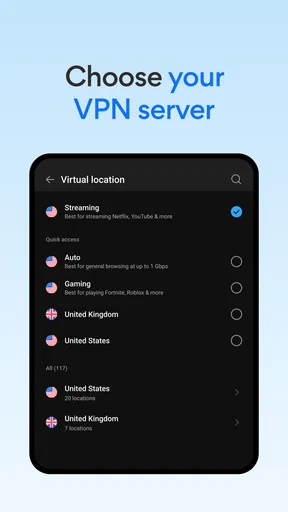
Travel is another practical case. When a site or app behaves differently away from home, choosing another virtual server may help you test whether the network route is the issue. That does not mean every service will work from every location; streaming platforms and other providers can restrict VPN traffic, and their catalogues or rules can change. I would use server switching as a troubleshooting step, not as a guarantee that a particular show or website will be available.
What the speed claim means in practice
The app describes access to more than 1,800 secure virtual servers and says its speeds can be 2.2 times faster. I would read that as a reason to try it, not a promise that every connection will beat your usual internet speed. A VPN adds a route between your device and the site you are visiting, so distance, the local network, and the destination can all affect how responsive things feel. For messages, browsing, and ordinary video, the connection may feel perfectly comfortable; for a large download or a live call, I would compare it with VPN off if performance matters more than privacy at that moment.
One useful troubleshooting habit is to change only one thing at a time. If a page is slow, first try another server while staying on the same Wi-Fi; if that does not help, briefly compare with the VPN disconnected. This gives you a better clue about whether the delay comes from the chosen route or from the underlying connection. It is less frustrating than making several changes at once and then not knowing which one helped.
Worth Reading Before You Choose

Switching to Android Auto Means Rethinking Your Driving Routine

Google Calendar Makes a Crowded Week Easier to Manage

Baby Panda World Brings Quick Play to Modern Phones, but Its Game Library Feels Busy

ESPN’s Live Game View Makes Following Close Games Easier

QuizzLand Review: A Good Fit for Short Trivia Breaks, Not Every Player

Basketball Stars: Multiplayer Is Fast, but Can It Recover When Matches Go Wrong?
First Impressions
Right from the get-go, Hotspot Shield makes a solid impression with its clean and intuitive interface. Installing it was a breeze, and if you’re like me, you’ll appreciate not having to jump through hoops just to get started. The app’s design is straightforward, making it easy even for VPN newbies to navigate. Within minutes, I was connected to a server and ready to explore the web securely.
Performance and Speed
Now, let’s talk about what really matters: performance. VPNs are notorious for slowing down your internet connection, but I was pleasantly surprised by Hotspot Shield. While there was a slight dip in speed, it was barely noticeable during regular browsing. Streaming videos was smooth, and I didn’t experience any annoying buffering. It’s worth noting that the app uses its proprietary Catapult Hydra protocol, which is reportedly optimized for faster and more stable connections.
Security Features
Security is at the heart of any VPN, and Hotspot Shield seems to take this seriously. It offers military-grade encryption to keep your data safe from prying eyes. Plus, it has a kill switch feature, which I found reassuring. In case your VPN connection drops, the kill switch ensures your internet traffic doesn’t get exposed. It’s like having an extra layer of privacy that you didn’t know you needed until now.
Exploring Global Content
One of the main reasons people turn to VPNs is for unrestricted access to content across the globe. I tested this by connecting to different servers to access various streaming platforms. Hotspot Shield did not disappoint. Switching servers was quick, and I could access content from different countries without a hitch. If you’re a streaming junkie like me, this is a game-changer.
User Experience and Support
Using the app was smooth sailing. It didn’t crash or glitch, which is always a plus in my book. Also, the support team deserves a shout-out. I had a couple of questions and decided to test out their customer service. The response was fast and helpful, which is comforting if you ever run into issues.
For day-to-day use, I find the strongest case for this app is convenience: a familiar connection flow can be easier than researching protocols and manually configuring a VPN. That matters when you only need protection for a short task, such as checking a travel itinerary on airport Wi-Fi. I would not leave a connection choice until the last minute, though. If the network itself is unreliable, a VPN cannot make it stable; it can only change the route your traffic takes.
Choosing between a VPN app and other options
Compared with browsing without a VPN, the benefit is an added encrypted path for your traffic, while the trade-off is that your connection depends on an additional service and may feel slower or less compatible with some sites. Compared with setting up a VPN manually, an app like this is generally the simpler choice for someone who wants to connect without learning configuration details. A manually managed service may suit people who want more control over setup, while users who rarely join unfamiliar networks may decide that the extra app and connection step are not worth it for their routine.
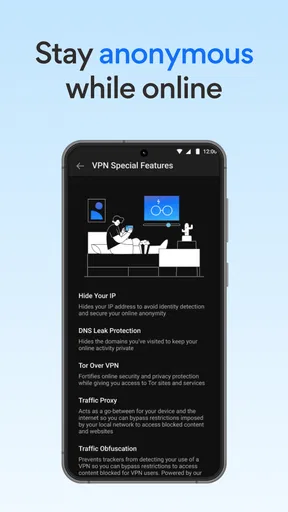
I also separate privacy from anonymity. A VPN can help protect traffic on a shared network and change the apparent network location seen by websites, but it does not make an account anonymous if I sign in, nor does it make unsafe downloads or suspicious links safe. I still use unique passwords and ordinary caution. That distinction prevents the common mistake of expecting one utility to solve every online security problem.
Free access, paid choices, and the trade-off
Hotspot Shield is free to install, with in-app purchases ranging from $0.99 to $99.99 per item. The app has a 4.5 average from around 1.6 million ratings, and it has passed 100 million installs, so it is a familiar option rather than an obscure tool. Those figures tell me it has broad reach, but they do not tell me whether a particular plan or server will suit my needs. I would check the options shown in the app before paying and decide based on how often I actually need a VPN, not on the idea that a paid tier automatically fixes every limitation.
There is a practical trade-off in relying on the free route: an app can make connecting easy, but free access may not provide the same choice or experience as a paid offering. If I need a VPN for occasional browsing on public Wi-Fi, the free starting point may be enough to try the workflow. If I need dependable access for work every day, I would compare the current plan terms and alternatives carefully before committing. The listed price range is broad, so I would confirm the exact purchase and renewal details in the app rather than assume one figure applies to everyone.
Where I would draw the line
I would skip Hotspot Shield if my priority were a highly configurable network tool, if I needed guaranteed access to a specific streaming catalogue, or if my work required a VPN with carefully documented settings and controls. It is also not a cure for a weak Wi-Fi signal: when the underlying connection keeps dropping, adding a VPN may add another point of failure rather than save time. In those cases, improving the network or choosing a service built around the required controls is the more sensible move.
For a casual user, the better question is whether the extra step becomes a habit. If I connect before handling sensitive tasks on unfamiliar Wi-Fi and disconnect when I no longer need it, the app has a clear role. If I routinely forget to connect, or find that a bank, work login, or streaming service objects to the VPN route, the friction can outweigh the benefit for that particular task. I would keep a simple fallback in mind: pause the VPN only when I trust the network and need the service to work, then reconnect afterward if privacy on that network remains a concern.
Hotspot Shield is a familiar, approachable way to add a VPN connection to everyday browsing, with a large server network and a free entry point. Its biggest practical strength is reducing the effort of getting started; its limits are the usual VPN trade-offs around speed, compatibility, and the need to choose a plan that matches your routine. For someone who wants a straightforward tool for occasional public Wi-Fi use, I think it is worth trying. For a power user who needs precise control or an assurance that a particular service will always work, I would look for a more specialized fit.
Pricing and Plans
Now, let’s chat about cost. Hotspot Shield offers both free and premium plans. The free version gives you a taste of what’s available but comes with limitations on speed and server locations. To really unlock the app’s full potential, you’d want to consider the premium plan. It’s a bit on the pricey side compared to some other options, but given the performance and security features, it’s a worthy investment if you’re serious about online privacy.
Final Thoughts
So, is Hotspot Shield: Fast VPN Proxy worth it? In my opinion, absolutely. It combines speed, security, and ease of use in a way that makes it stand out in a crowded market. Whether you’re a casual user looking to secure your browsing or a hardcore streamer wanting unrestricted content, this app has something for everyone. It might not be the cheapest option out there, but the peace of mind and performance it offers are well worth the cost.
Ready to give it a try? You can download it from the official app stores and see how it transforms your internet experience. Trust me, once you go VPN, you’ll wonder how you ever surfed the web without one.
Pros
- Fast connection speeds for seamless browsing.
- User-friendly interface for easy navigation.
- Wide range of server locations available.
- Strong encryption for enhanced privacy.
- Compatible with multiple platforms.
Cons
- Free version has limited features.
- Occasional connection drops reported.
- Ads in the free version can be intrusive.
- May slow down internet speed at times.
- Not all servers support streaming services.
FAQs for VPN Hotspot Shield: Proxy VPN
What are the main features of Hotspot Shield: Fast VPN Proxy?
Hotspot Shield offers a fast and secure VPN service with military-grade encryption. It provides access to geo-restricted content, anonymous browsing, and malware protection. The app has a user-friendly interface and supports multiple devices with a single account. Additionally, it includes a kill switch feature to ensure data privacy.
Is Hotspot Shield: Fast VPN Proxy free to use?
Hotspot Shield offers a basic free version with limited features and bandwidth. However, to unlock the full suite of features, including unlimited bandwidth and access to all server locations, a premium subscription is required. The premium version also removes ads and enhances connection speed and stability.
How does Hotspot Shield ensure my online privacy and security?
Hotspot Shield employs military-grade encryption to protect user data from hackers and other malicious entities. It masks your IP address, making your online activities anonymous. The app also features a kill switch that automatically disconnects your internet if the VPN connection drops, ensuring your data remains secure.
Can I use Hotspot Shield on multiple devices?
Yes, Hotspot Shield allows users to connect multiple devices under a single account. This feature is especially beneficial for those with multiple devices such as smartphones, tablets, and computers. The app is compatible with Android, iOS, Windows, and Mac, making it versatile for various platforms.
What should I do if I experience connection issues with Hotspot Shield?
If you encounter connection issues, first ensure your internet connection is stable. Try switching between different server locations within the app to find a more stable connection. Restarting the app or your device can also help. If problems persist, contact Hotspot Shield’s customer support for further assistance.


